
Since upgrade macOS to 10.15 Catalina, 32bit applications are no longer supported. It causes mac user some inconvenience to continue use legacy applications. A typical case is the Mikrotik RouteOS management and configuration tool winbox cannot run on macOS anymore. The main reason behind winbox not able to run is related to a windows application simulation tool wine (winehq) is no longer supported by Catalina.
- Mikrotik WinBox App 2.2. To use WinBox under Mac OS X (possible on Intel-based Macs only), you have to install Darwine, a port of Wine and other supporting tools that allows Darwin and Mac OS X users to run Windows applications. Wine is an Open Source implementation of the Windows API on top of X.
- Winbox is a very nice tool, probably one of the best for network management and configuration. Ultimately, the best way to run native Winbox for windows is via Wine HQ. Here are the steps how to install Mikrotik Winbox on MAC OS, running on High Sierra 10.13.6.
/ip service set winbox address=192.168.88.0/24 RouterOS MAC-access. RouterOS has built-in options for easy management access to network devices. The particular services should be shutdown on production networks. Disable mac-telnet services, /tool mac-server set allowed-interface-list=none /tool mac-server print MAC-Winbox.
To solve this issue, there’s two ways.
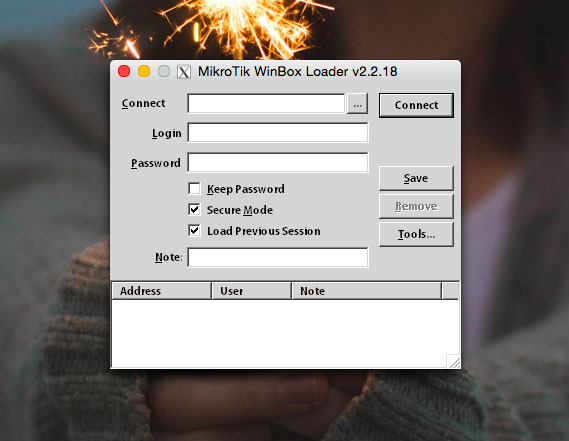
- Get a Winbox macOS version directly from https://joshaven.com/resources/tools/winbox-for-mac/ – Be aware, this is not an official release and some limitation. It needs to wait for new release after Mikrotik winbox update.
- A small trick to let wine continue to work under macOS Catalina. See instruction below.
Steps:
- Download latest Winbox from offical website https://www.mikrotik.com/download, please choose winbox (64-bit)
- Move winbox64.exe to /Applications/ folder
- Download XQuartx 2.7.11 from https://www.xquartz.org/releases/XQuartz-2.7.11.html and install
- Download Wine Stable 5.0 from https://dl.winehq.org/wine-builds/macosx/download.html (Wine Dev/Staging version may have some compatible issues)
- Please choose Wine Stable 5.0 installer not the tarball which will cause idiot Symantec SEP client lot Heur.AdvML.B report.
- Install Wine Stable 5.0 and choose 64-bit support during the installation
- Open macOS Automator app and create a new application
- Save the created Automator application to the Desktop for example
- Now double click the Desktop Automator icon, it will bring up Wine. The first start up, it will install couple components (mono and gekco) of wine required.
- Idiot Symantec SEP client will report /Users/xxx/.wine/drive_c/windows/mono/mono-2.0/support/installinf-x86.exe as malware (Trojan.Gen.2). You can just ignore it or uninstall Symantec SEP client. macOS does not need Symantec.
- Your winbox is ready to use now.
- Optional: Right click the Automator application and get info, you can change the logo from there.
- You may experience macOS complaining winbox64 is not verified app, needs to move to bin. You can ignore this message by click ‘cancel’, then goto system security to allow winbox64 anyway, or disable gatekeeper (at your own risk).
Update:
Winbox Mac Address
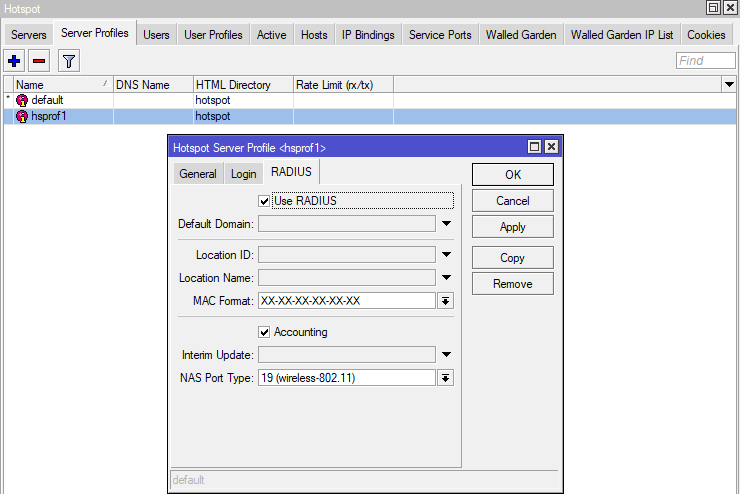
As wine requires XQuartx, and XQuartx hasn’t been updated for almost 4 years, there’s a security vulnerability within XQuartx. Please refer https://www.xfelix.com/2020/04/fix-xquartz-sparkle-vulnerability/ to address the issue.
I have complied “Winbox” by MikroTik with Wine in order to makeit usable on Mac. Download one of the versions below (I recommendthe newest). You can run the app from anywhere but I recommendmoving it to your Applications folder. Let me know if you haveany issues.
Mikrotik Winbox For Mac Os
Having qualified as 100% adware and spiware free, older versions of Winbox forMac are available for download from Softpedia.
Winbox Mikrotik For Mac Osx
You can use the tools bar to up check for updates to update to the current version of winbox before connecting to a router..